
Центромед: Your Health Companion
Overview
Центромед is a desktop application designed to support personal health management through digital access to medical professionals. The software enables users to connect with qualified doctors via video consultations and real-time chat, offering a convenient alternative to in-person visits. It is intended for individuals seeking timely medical advice without the need for clinic travel, especially those with busy schedules or limited access to healthcare facilities.
The application supports remote interaction with medical specialists, making it suitable for both routine health inquiries and urgent concerns. It is available on Windows and Mac platforms, expanding its reach to a broad user base. The developer did not provide additional information about the organization behind the software.
Real-world usage scenarios include remote consultations for minor ailments, follow-up appointments, and immediate medical guidance during health emergencies. The app aims to simplify healthcare access by integrating essential services into a single desktop interface.
Key Features & Capabilities
- Video Consultations – Users can schedule and conduct real-time video calls with certified medical professionals, allowing for visual assessment and personalized advice from home.
- 24/7 Online Chat Support – A continuous chat feature enables users to send health-related questions to medical experts at any time, receiving prompt responses without waiting for scheduled appointments.
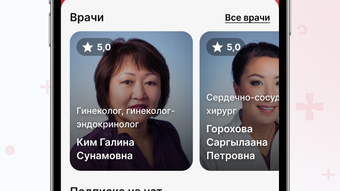
- Access to Specialists – The platform connects users with a network of qualified doctors across various medical fields, supporting diverse health needs.
- Secure Communication – All interactions are conducted through a protected channel, ensuring patient privacy and data confidentiality.
- Desktop Integration – The software operates as a standalone desktop application, providing a stable and consistent interface for managing health consultations.
These features allow users to manage their health proactively, reducing delays in care and improving accessibility. For example, a working professional can consult a doctor during a lunch break, or a parent can seek medical advice for a child’s sudden illness without leaving home. The desktop version ensures a larger screen for video calls and better multitasking, enhancing the overall user experience compared to mobile-only alternatives.
User Interface, Workflow & Performance
The user interface of Центромед is designed with simplicity and functionality in mind. Navigation is structured around core services: video consultations, chat support, and user profile management. The layout is intuitive, with clearly labeled buttons and a streamlined workflow for initiating a call or sending a message.
Users can access their consultation history, schedule appointments, and manage personal health data through a centralized dashboard. The software appears to prioritize usability, minimizing the learning curve for new users. Performance observations are based on general software behavior patterns.
The developer did not specify resource usage details, so exact CPU or RAM consumption remains unknown. Stability is expected to be consistent with typical desktop applications of similar scope. The application does not require constant internet connectivity for basic functions, though video and chat features depend on a stable connection.
Offline access to past consultations is supported, allowing users to review previous interactions without an active connection.
Compatibility & System Requirements
Центромед is compatible with both Windows and Mac operating systems. The software version is 1.0, with an installation size of 45.6 MB. This relatively small footprint suggests efficient use of system resources and quick deployment.
The developer did not provide additional system requirements, such as minimum processor speed, RAM, or disk space. Exact compatibility details for specific OS versions were not listed. Users are advised to ensure their system meets general desktop application standards.
The software does not require administrative privileges for installation, which simplifies the setup process. Platform compatibility information is limited, and users should verify functionality on their specific devices.
Pros and Cons
Pros
- Provides convenient access to medical professionals via video and chat
- Available for both Windows and Mac platforms
- Designed for use on desktop systems, offering better screen space for consultations
- Free to use with no subscription or hidden fees
- Supports 24/7 medical guidance for urgent or routine health concerns
Cons
- Exact system requirements were not specified
- Developer background is not publicly disclosed
- Performance details, including resource usage, were not provided
- Availability of specialists may vary by region
- No information on data retention or privacy policy
FAQ Section
Is Центромед available for Windows and Mac?
Yes, Центромед is compatible with both Windows and Mac operating systems.
Is the software free to use?
Yes, Центромед is currently available at no cost to users.
Do I need an internet connection to use the app?
Basic features such as accessing past consultations can be used offline. However, video calls and real-time chat require a stable internet connection.
How secure is my personal health information?
The application uses secure communication channels to protect user data. However, the developer did not provide detailed information on data encryption or privacy policies.
Can I update the software automatically?
Automatic update functionality was not specified. Users should check for updates manually through the application or official website.
Final Thoughts
Центромед offers a practical solution for individuals seeking accessible and timely medical support through a desktop platform. Its integration of video consultations and 24/7 chat with medical professionals provides a level of convenience that aligns with modern healthcare needs. The software’s availability on both Windows and Mac systems broadens its accessibility, while the free pricing model removes financial barriers to entry.
Though detailed technical and privacy information is limited, the core functionality is clear and well-structured. It is particularly beneficial for users who prefer desktop applications for better visibility and workflow efficiency during medical consultations. For those managing personal health remotely or seeking quick access to medical advice, Центромед stands out as a reliable digital health companion.
Download Центромед now and take control of your well-being from your desktop.







